

Seamlessly Adopt Construction Software Into Workflows
Adopting Software Without Disrupting Sites
Introduction
Adopting construction management software can feel like a leap—especially on busy sites where every hour matters. But it doesn’t have to be disruptive. A digital platform like Paperless allows you to integrate features gradually, aligning with how your teams already work. Whether it’s automating timekeeping, tracking competencies, or running toolbox talks via mobile, Paperless fits into your site rhythms with minimal resistance. Here's how to make the transition as smooth as possible—without sacrificing safety, compliance, or momentum.
Start with What Hurts Most
When introducing new systems, the most effective entry point is solving a pain that's already felt. On construction sites, that might be paper timesheets, lost safety forms, or lengthy inductions. For example, Paperless offers digital safety briefings and automated attendance tracking using QR codes, which immediately cuts down admin time and boosts compliance.
By starting with one high-friction task—like toolbox talks or RAMS briefings—you demonstrate the software’s value in a tangible way. Teams see how it helps them, not just management. From there, adoption grows organically.
Map Digital Tools to Existing Routines
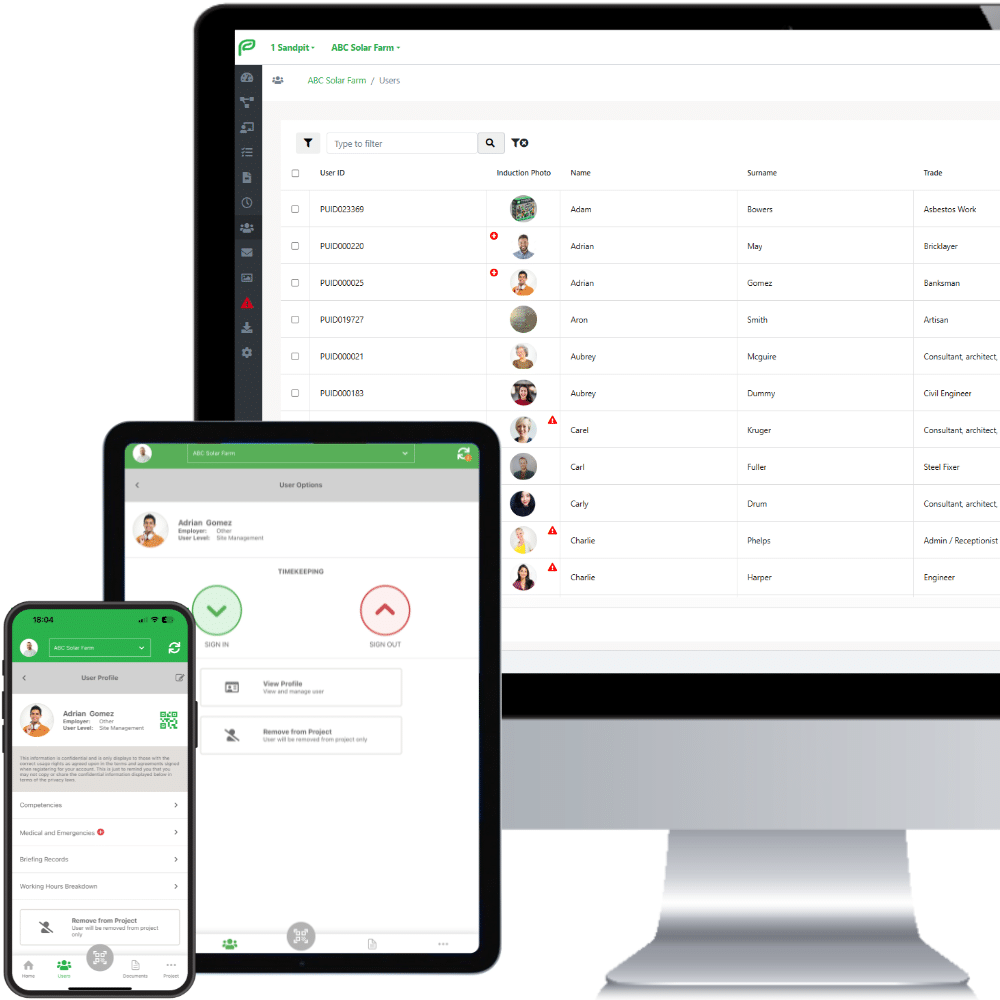
Workers and supervisors already follow a routine—briefings before shift, sign-ins at the gate, compliance checks midweek. Disrupting this can cause friction. Instead, use software like Paperless to mirror these actions.
-
Replace physical sign-in sheets with QR scanning at entry.
-
Deliver toolbox talks via mobile without changing the timing or presenter.
-
Collect signatures for inductions digitally—before workers arrive onsite.
This subtle shift means teams aren’t learning new processes; they’re simply doing familiar tasks more efficiently. The change feels natural, not forced.
Lean Into Supervisor-Led Rollout
Change sticks when it’s peer-led. Supervisors and foremen are critical allies during digital adoption. Paperless enables them to run briefings, sign-ins, and daily diaries from their phones or tablets, giving them control rather than imposing change from the top.
Equip key site leads with a short intro session and clear use-cases. Let them trial it during one shift, then gather feedback. Their endorsement builds trust among teams who may otherwise resist digital change. Keep it human, local, and role-based.
5 Tips for Seamless Adoption
Introduce software without the overwhelm:
-
Start with one feature (e.g. timekeeping or inductions)
-
Avoid “all-in-one” rollouts—stagger adoption over 2–3 weeks
-
Use real site examples in training, not abstract demos
-
Gather weekly feedback from supervisors and adjust rollout pace
-
Keep signage clear: post QR access codes where workflows start (gate, briefing room)
Each step should feel like support, not surveillance.

Inductions Without Delay
A Midlands-based subcontractor had recurring issues onboarding new workers. Induction delays caused downtime and required site managers to drop tools and lead sessions in person.
Switching to Paperless, they enabled workers to self-register using a QR code on site fencing. Once submitted, the data was reviewed and approved remotely by the manager. Site-ready times dropped from 3 hours to under 20 minutes, with training records linked automatically to CSCS checks.
The key takeaway? Integration worked because it followed an existing flow—arrival at site—without disrupting the day’s work.
The Hidden Win | Compliance Without Chasing
Many teams struggle to maintain up-to-date records—competency logs, signed RAMS, daily inspections. Paperless quietly automates these tasks.
Each digital form is time-stamped, stored centrally, and tied to a worker profile. Geo-tagged photos confirm inspection locations, while expiry dates flag outdated permits. There’s no extra admin required—records build themselves in the background as teams go about their day.
For UK contractors, this supports compliance with HSE regulations and CDM 2015, reducing audit stress and avoiding last-minute document hunts.
Bring Tech to the Task, Not the Other Way Around
Adoption fails when people are asked to change what they do before seeing any benefit. The smarter approach is to bring the construction management app to their existing task.
Let workers use their phones to clock in. Allow foremen to take photos and log them on the go. Enable briefings to happen where they already happen—by the whiteboard or at the start of a shift—not in an office.
By wrapping the tool around the task—not the task around the tool—you win buy-in that lasts.
Change That Feels Effortless
Adopting digital construction tools doesn’t have to mean a major shake-up. By mapping software like Paperless to real workflows, teams stay productive while compliance and visibility improve quietly in the background. With the right rollout plan, construction software adoption can feel less like “change management” and more like common sense.
Paperless transforms construction workflows, making operations safer, smarter, and more efficient.
Ready to Take Your Projects Digital?
Discover Paperless for Free
The all-in-one tool transforming construction management. Schedule your demo today and streamline your workflow.
Book Your Free DemoDownload Brochure

Effortlessly Manage your Health & Safety Compliance with Paperless
Enhance workforce management, ensuring safety compliance and real-time data sharing, so your team always has the right information at their fingertips.
Download our Brochure to discover how Paperless can add value to your projects.
 Automate Workforce Management
- Ensure Safety Compliance
- Real-Time Data Sharing
- Flexible Access and offline capability


