

Construction Risk Assessment Software
Digital risk assessments with briefing proof and fast retrieval
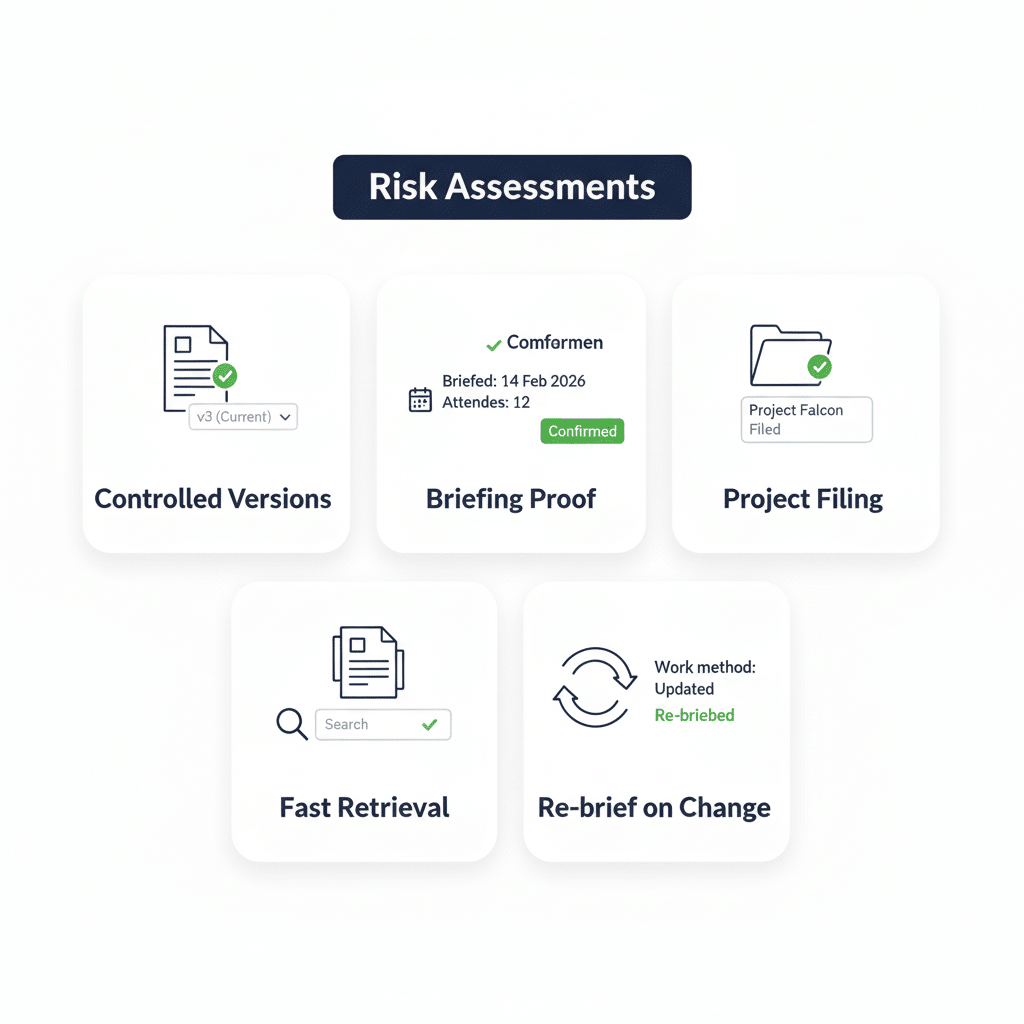
Risk assessments only protect people when the right document is on site, briefed properly, and easy to evidence later. Paperless supports risk assessment workflows by helping you issue and brief risk assessment documents through your wider safety process, then keep records accessible for reviews and audits. Read more about Safety Briefings here: Safety Briefing Software
 Brief the right document version
- Prove briefings were delivered
- Keep records filed to project
- Retrieve evidence in minutes
- Reduce missing paperwork risk

Keep risk assessments usable
On most sites, the problem is not writing a risk assessment. The problem is making sure the workforce is briefed on the right one, that changes are communicated when conditions shift, and that evidence is easy to find when a client, auditor, or incident review asks for it.
This feature page focuses on practical risk assessment control and briefing workflows. It helps supervisors and HSQE teams reduce document chasing, avoid duplicated or outdated copies, and keep risk assessment records tied to the project where they belong.
Brief teams on the right assessment
Ensure crews work to the same controls
Paperless helps you deliver consistent risk assessment briefings by attaching the relevant risk assessment documents to a briefing record. This supports a construction risk assessment workflow where teams can confirm attendance and understanding, and supervisors can avoid reliance on ad hoc printouts and screenshots. It is especially useful when multiple gangs, subcontractors, or shifts need the same message, or when site conditions change and you need to re-brief quickly without losing track of who has been covered.
- Attach RA documents to briefings
- Confirm attendance on record
- Reduce outdated RA circulation
- Support shift and gang briefings
- Cut briefing admin time

Keep evidence tied to the job
Find the right record quickly
Risk assessment evidence often fails during audits because records are scattered across emails, WhatsApp, site folders, and personal devices. Paperless supports a simpler approach by keeping briefing records and related documents associated with the project context, so you can retrieve what was issued and when it was briefed.
This reduces time lost searching and helps you respond quickly to client requests, internal spot checks, and incident reviews without rebuilding a paper trail after the event.
- Reduce time spent searching
- Retrieve evidence by project
- Support audits and reviews
- Reduce duplicate document copies
- Keep teams aligned to records
Re-brief when conditions change
Keep risk assessments live on site
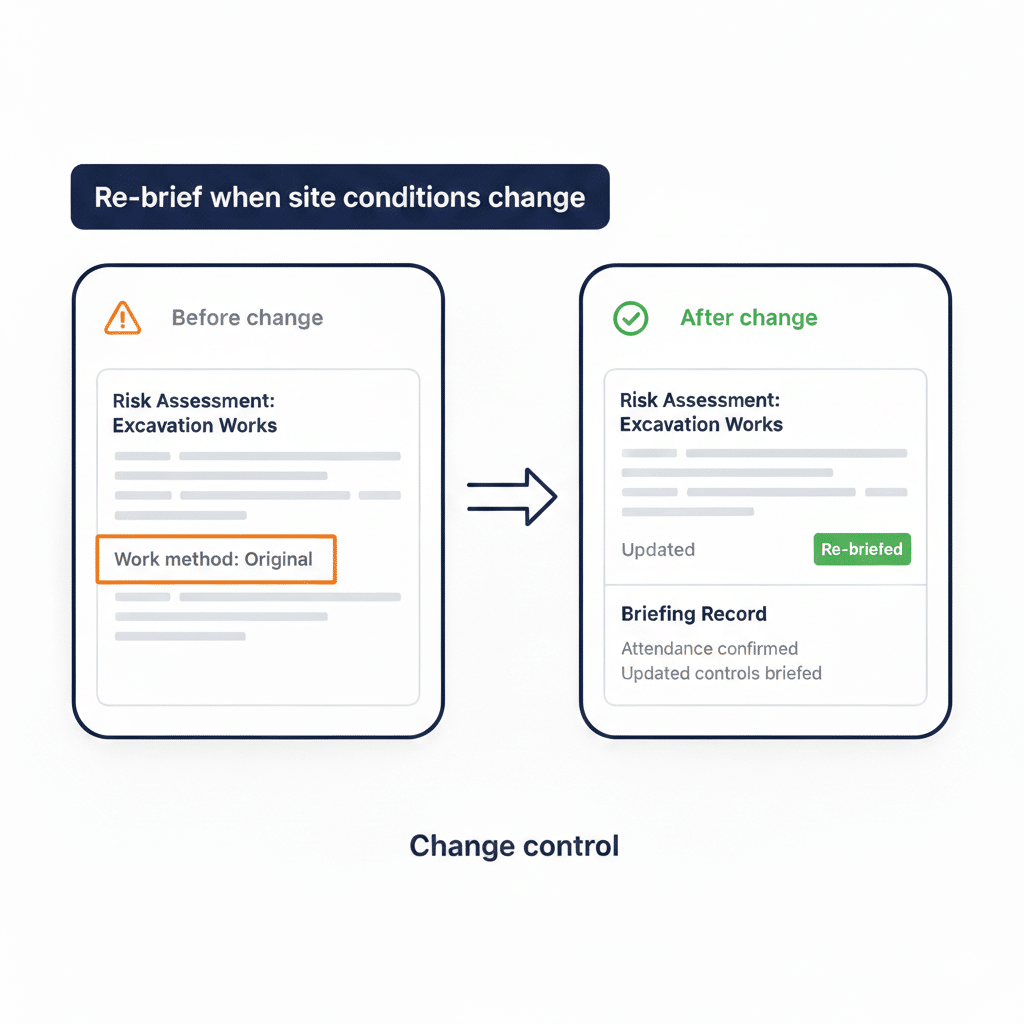
Conducting a point of work risk assessment is only useful if it supports real site change. When access, sequence, plant, interfaces, or work area conditions shift, teams need a fast way to re-communicate what has changed. Paperless supports this by making it straightforward to run an updated briefing with the relevant documents, so changes are not left as verbal messages that disappear by the next shift.
The outcome is fewer misunderstandings and a clearer evidence trail that site risks were reviewed and communicated.
- Trigger re-brief on change
- Reduce verbal-only instructions
- Keep controls current for teams
- Improve shift handover clarity
- Support supervisor intervention
Standardise how risk is briefed
Make delivery consistent across projects
Even when companies have good templates, delivery varies by supervisor, job type, and programme pressure. Paperless supports consistency by standardising how risk assessment documents are issued and briefed, so each site follows the same core steps.
This matters for multi-site contractors and principal contractors coordinating several subcontractors, where the biggest risk is not the document itself but inconsistent communication and record keeping between teams.
- Reduce supervisor-to-supervisor variance
- Improve multi-site consistency
- Support subcontractor coordination
- Simplify HSQE spot checks
- Reduce rework from confusion
Get Your Free Risk Assessment Template
Faster Reviews. Clearer Risk Controls.
Use a clean RA template to document hazards, control measures, and responsibilities clearly, making reviews, approvals, and site briefings simpler.
Strengthen audit-ready evidence
Reduce gaps that audits expose
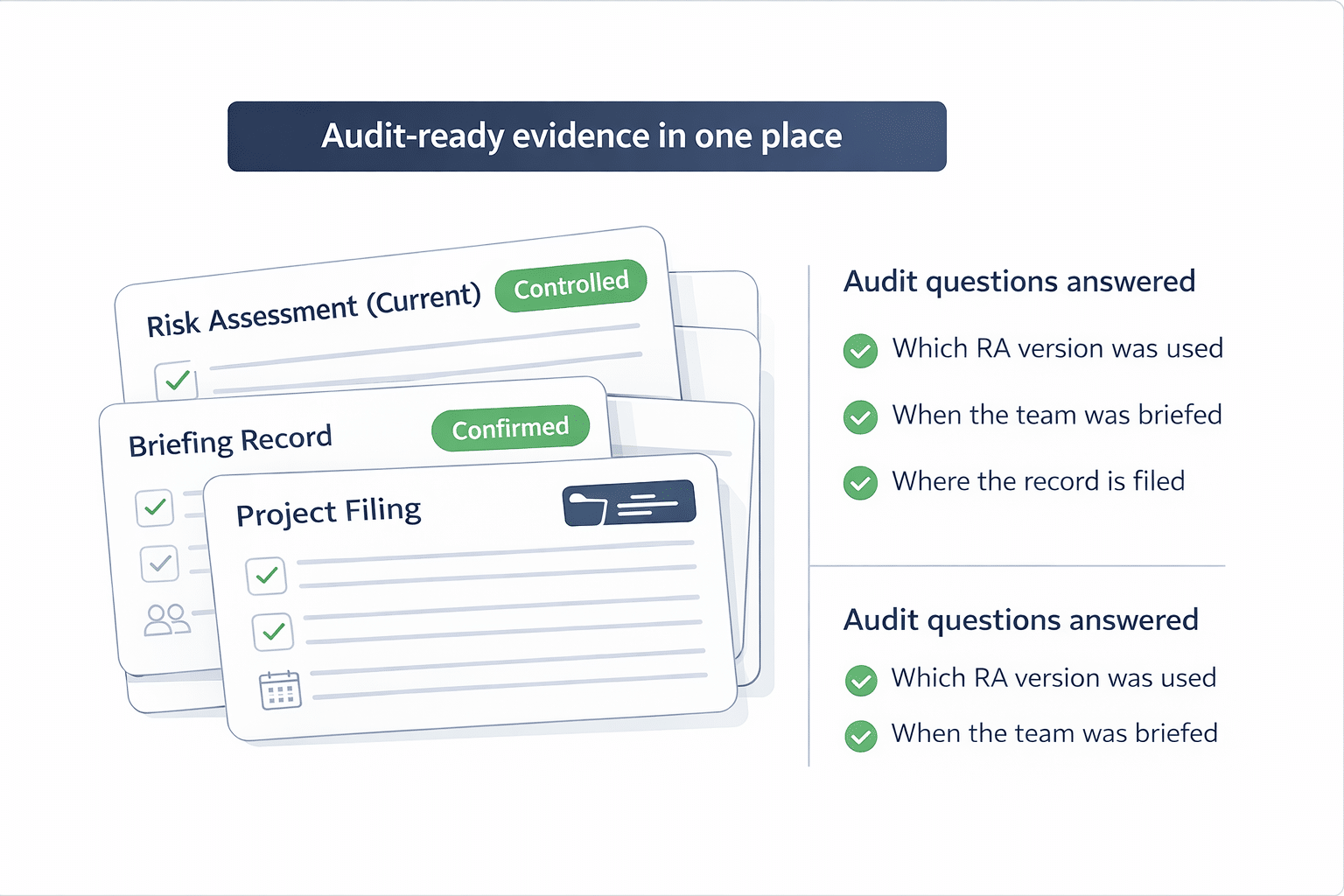
Audits and incident reviews often focus on the basics: what was the risk assessment, who was briefed, and when. Paperless supports these questions by tying briefing records and attached documents to the operational workflow, helping teams demonstrate that risk controls were communicated rather than assumed.
Where you also use broader document control, linking risk assessment delivery to your wider records management can make retrieval and review more reliable.
- Prove briefings were completed
- Reduce missing evidence gaps
- Support audit and client requests
- Improve review and oversight
- Strengthen project record integrity
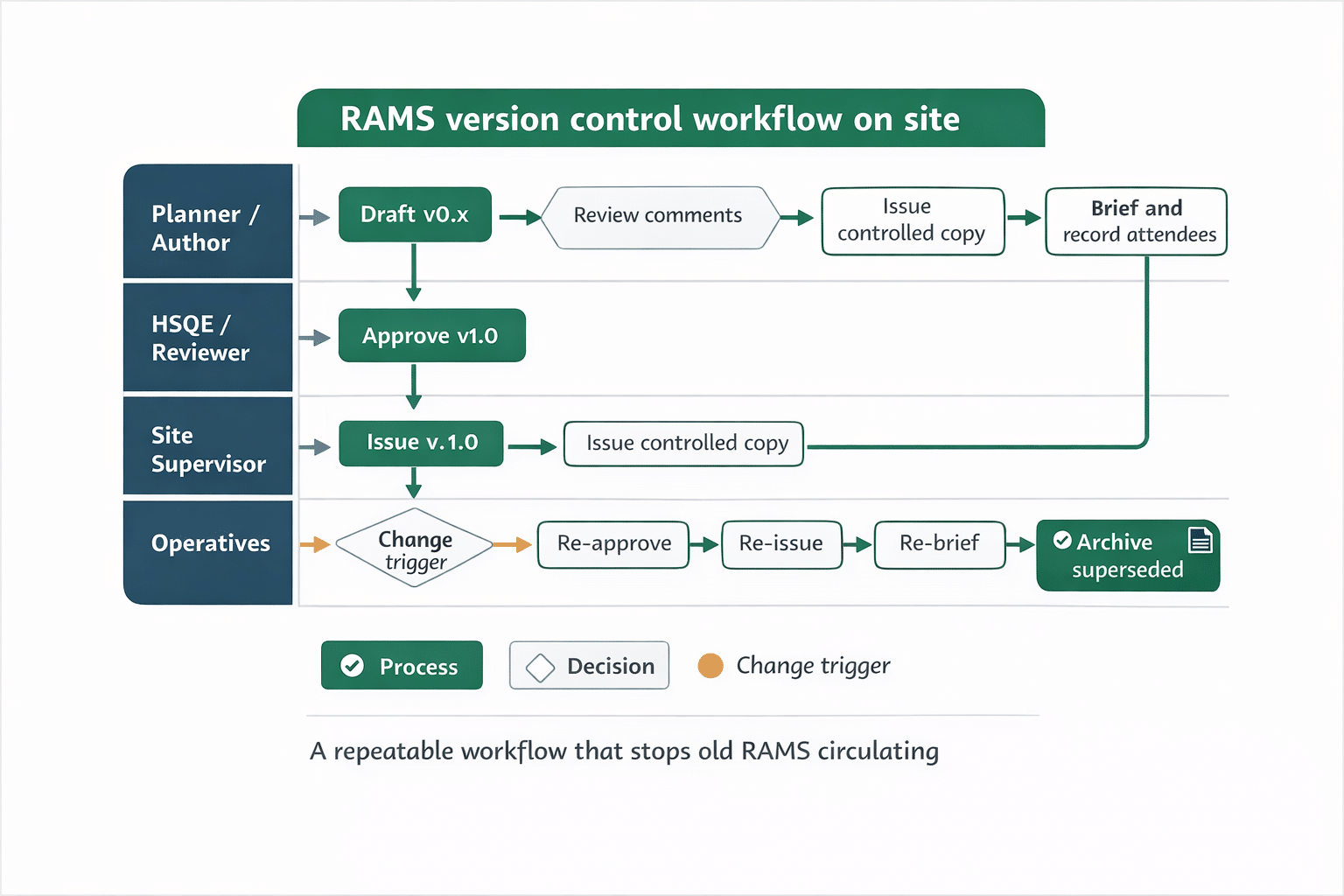
How digital risk assessment workflows run
-
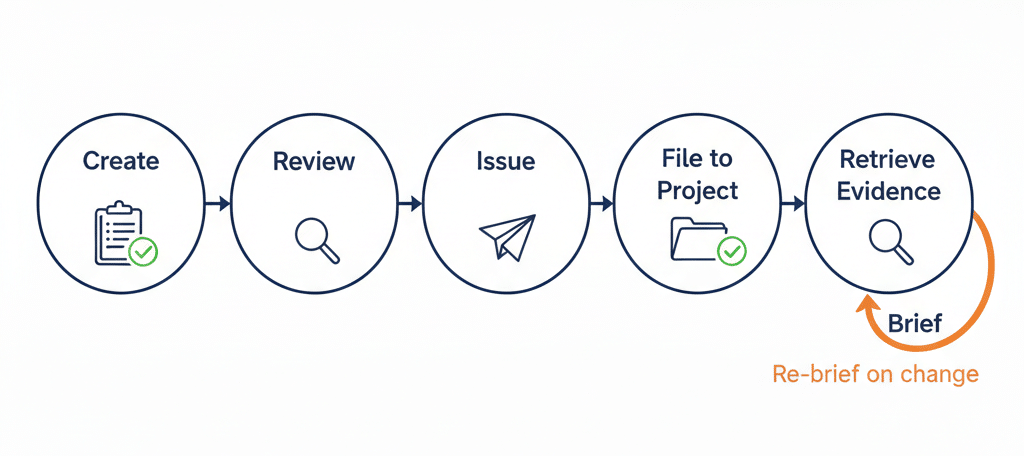
Upload or select the relevant risk assessment documents for the work activity
-
Create a briefing session for the team, gang, or shift
-
Attach the risk assessment documents to the briefing record
-
Deliver the briefing and capture attendance confirmation
-
File the record to the project for retrieval and review
-
Re-run a briefing when site conditions or scope changes
Who benefits from this feature
-
Site managers and supervisors
-
HSQE managers and advisors
-
Project managers
-
Operations leadership
-
Subcontractor coordinators
Optional use cases:
-
Re-briefing after a scope or access change
-
Coordinating multiple gangs on the same activity
-
Preparing evidence for a client audit
-
Supporting an incident review without document chasing

Controls that improve audit confidence
Risk assessment workflows rely on consistency and evidence. This feature supports governance by keeping a record of which documents were briefed, when briefings took place, and who attended. That helps HSQE and operational leaders check that teams are working to the expected controls, without relying on informal messages or disconnected paper copies.
It also improves audit readiness by keeping risk assessment delivery tied to the project record. When an auditor or client asks for evidence, you can retrieve the relevant briefing record and associated documents in a way that is easier to validate than scattered emails and ad hoc PDFs.
FAQs
What is construction risk assessment software used for?
It is used to support consistent risk assessment delivery on site by helping teams brief the right documents, keep records tied to the project, and retrieve evidence quickly for audits, client checks, and incident reviews.
Does this replace writing a risk assessment?
This feature focuses on issuing, briefing, and evidencing risk assessment documents as part of site delivery. It helps reduce gaps in communication and record keeping rather than changing how your risk assessments are authored.
When should we re-brief a risk assessment on site?
Re-brief when the job changes in a meaningful way, such as access, sequence, plant, interfaces, work area conditions, or the work method. The goal is to keep teams aligned to current controls and avoid verbal-only updates.
How does this link to document management?
Risk assessment delivery works best when records are easy to file and retrieve. If you also use centralised document storage, it can support quicker access and more consistent review. Learn more here: Document Management
Put risk assessments into a briefing workflow
Risk assessments are most effective when they are briefed consistently and the evidence is easy to retrieve later. If you want to see how this fits into a broader on-site briefing process, the parent page covers the wider Safety Briefings capability and where risk assessment briefings sit alongside other briefing types.
Read more about Safety Briefings here: Safety Briefing Software
See How Paperless Could Work for Your Sites
Less admin. Clearer records. More control.
Book a personalised demo and see how Paperless can help your teams manage workforce, compliance and site records in one connected platform.