

Toolbox Talk App for Construction
Digital toolbox talks with records you can prove
Toolbox talks only work when the briefing is consistent, attendance is captured, and the record is easy to retrieve later. Paperless provides a toolbox talk app built into the wider Safety Briefing Software workflow, so supervisors can brief teams quickly, record who attended, and keep evidence organised by site and date. If you already manage toolbox talks through topic pages and resources, this page focuses on the on site delivery and record keeping layer that prevents missed briefings, missing signatures, and last minute audit scrambling.
 Standardise briefings across supervisors
- Capture attendance in real time
- Find records fast for audits
- Reduce missed safety messages
- Keep evidence aligned to sites

Why a toolbox talk app matters
Paper based toolbox talks break down in predictable ways: the supervisor is busy, the sheet goes missing, signatures are rushed, and the record is hard to match to the right site or activity. A toolbox talk app reduces that operational friction by giving you a repeatable workflow: pick a topic, brief the team, capture attendance, and store the record centrally.
Real time attendance capture
Prove who was briefed and when
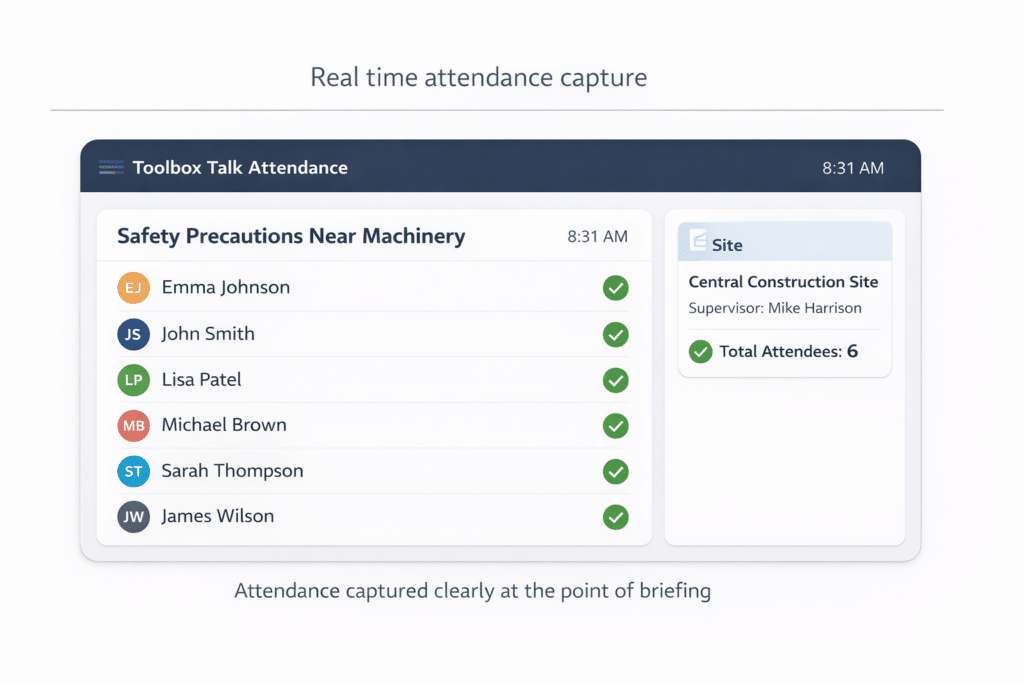
Attendance is the weak point in many briefing processes, especially when teams change or contractors arrive mid shift. A toolbox talk app makes it easier to capture attendance as part of the briefing, producing a time stamped record tied to the talk and the site context.
- Time stamped attendance records
- Fewer missing signatures
- Reduced end of shift admin
- Clear participant list per talk
- Faster audit response
Centralised toolbox talk records
Retrieve evidence in seconds, not hours
When toolbox talks are stored as paper, evidence retrieval becomes a filing problem. When they are stored as scanned PDFs, it becomes a search problem. A toolbox talk management system solves both by keeping records centralised and searchable so you can retrieve a specific talk quickly by site, date, supervisor, or topic.
- Central record library
- Search by site and date
- Find topics quickly
- Reduce filing and scanning
- Stronger inspection readiness

Control topic consistency across sites
Keep topics current and approved
Toolbox talk content tends to drift over time. One site uses an old version, another uses a different format, and updates do not reach supervisors quickly enough. A digital toolbox talk workflow supports content consistency by making it easier to keep topics aligned to your approved format and expected controls.
- Reduce outdated talk versions
- Maintain consistent topic format
- Improve control language alignment
- Simplify updates across projects
- Less reliance on printed packs

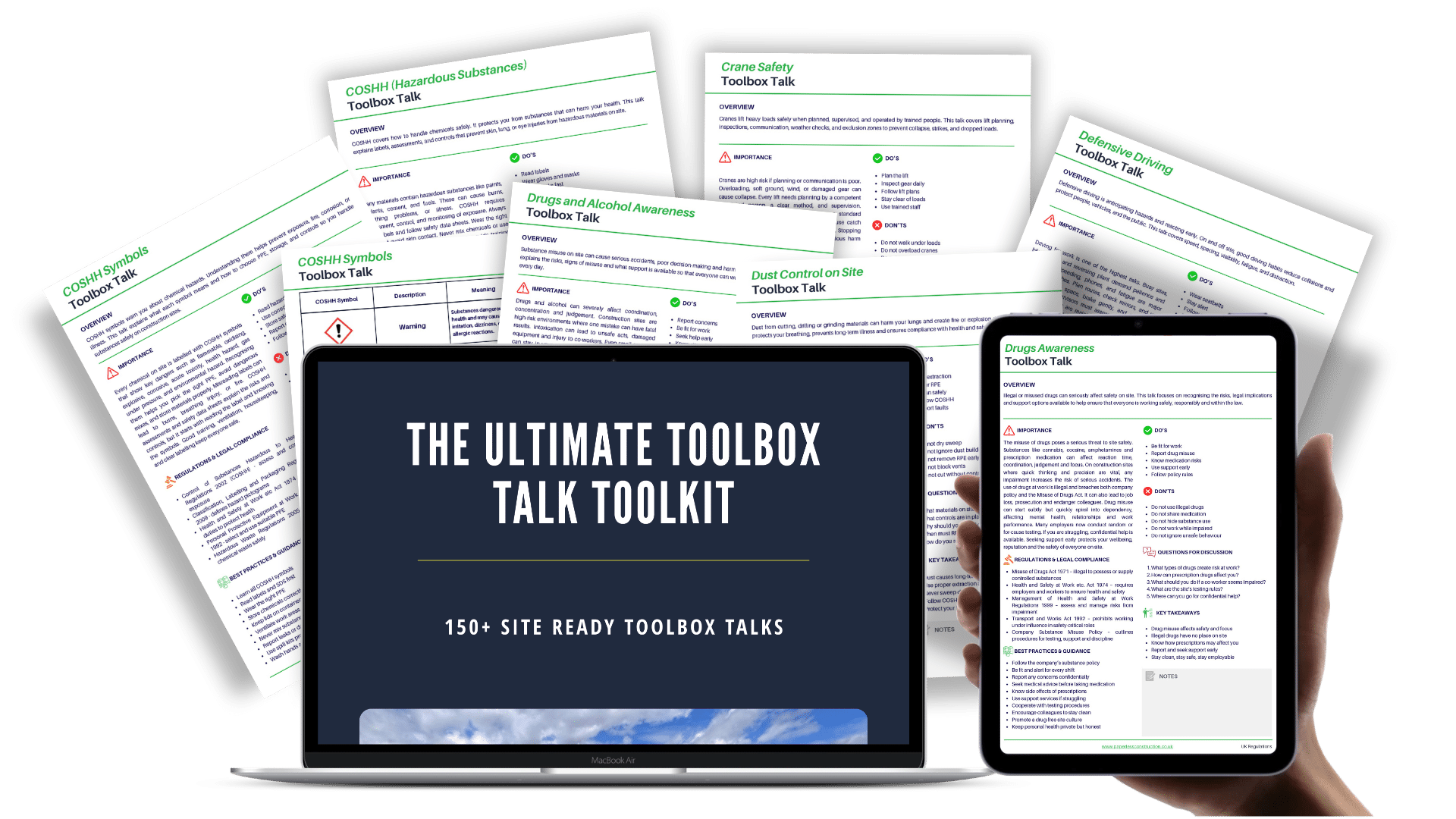
Get 250+ Toolbox Talks for £197
Full Coverage. Less Rework.
Get instant access for multi-site teams needing full coverage, fewer gaps, and less rewriting.
Evidence linked to projects and teams
Make records traceable to site context
A toolbox talk is only useful as evidence when you can show where it applies and who it applied to. A construction toolbox talk app improves that traceability by supporting links between the talk record, the project, and the people briefed. This makes review and follow up easier, particularly when a site changes scope, introduces new contractors, or needs to repeat a briefing after an incident or near miss. The result is a record that is not just stored, but contextualised for decision making and proof.
- Clear record to site context
- Support team based traceability
- Improve follow up after changes
- Stronger evidence in reviews
- Reduced ambiguity during audits
Supervisor friendly on site workflow
Brief fast without paper handling
Supervisors need a workflow that works on the ground: quick to start, easy to complete, and reliable when conditions are busy. A toolbox talk app reduces dependency on printed packs, reduces rework caused by lost sheets, and supports consistent delivery without adding complexity.
The goal is practical: keep the briefing process lightweight while still producing a record that stands up to scrutiny. When supervisors can run the talk in the same way each time, adoption improves and the process becomes part of the normal rhythm of site control.
- Mobile first briefing flow
- Less paper handling on site
- Reduced rework from lost sheets
- Faster start to briefing sessions
- Easier routine supervisor adoption

How the toolbox talk app works on site
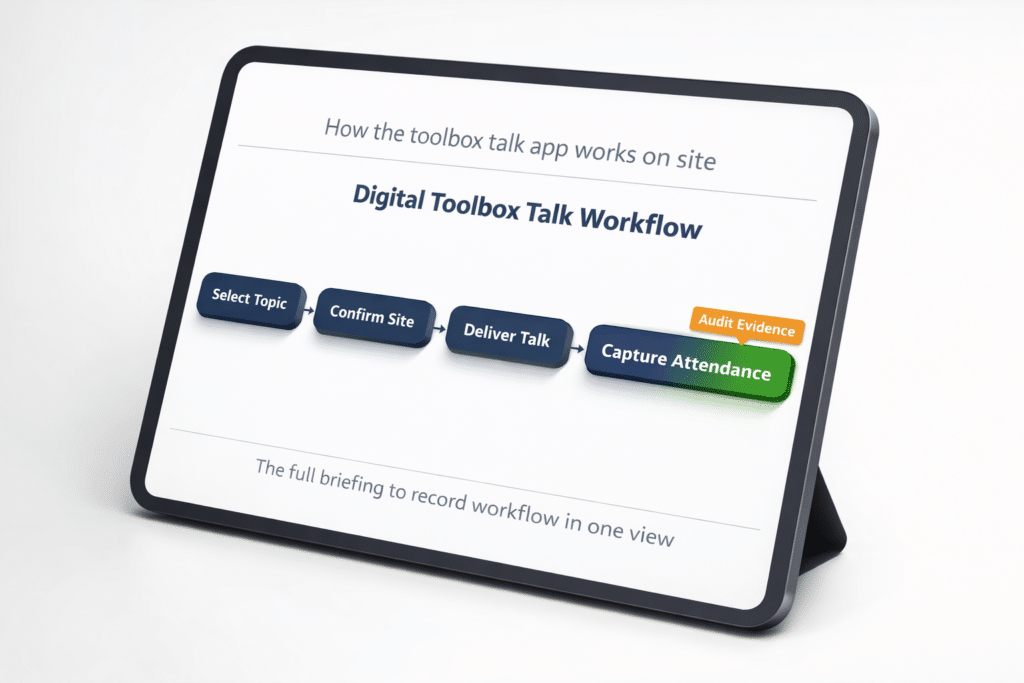
A practical toolbox talk workflow needs to be repeatable under real site constraints: short time windows, mixed teams, changing scopes, and varying supervisor experience. The toolbox talk app is designed around a simple sequence that supervisors can follow without turning the talk into a paperwork exercise.
A typical on site flow looks like this:
-
Select the toolbox talk topic or briefing pack
-
Confirm the site or project context
-
Deliver the talk using the structured prompts
-
Capture attendance at the point of briefing
-
Save the record to the central library for retrieval and review
If a briefing needs to be repeated due to scope change, team changes, or a review trigger, the same flow can be used again, with a clear record of what changed and when the new briefing occurred.
Who uses a toolbox talk management system
A toolbox talk app is most valuable for organisations that run multiple crews, work across multiple sites, or need consistent evidence of safety communication. It supports teams where the delivery of briefings is operationally important, not just a box to tick.
Typical users include:
-
Site managers who need consistent on site controls
-
Supervisors running daily or weekly briefings
-
Health and safety leads who need searchable records
-
Contractors coordinating briefings across projects
-
Businesses improving audit readiness and evidence retrieval
It is also useful for teams that already publish toolbox talk topics and resources but need a stronger delivery and record capture layer for day to day site operation.
Audit ready toolbox talk records
A toolbox talk process needs governance, even when the talk itself is short. The point is not to over engineer the briefing, it is to ensure the record is reliable. That means the talk content is consistent, attendance is captured properly, and records can be retrieved without manual hunting.
Key governance controls a digital workflow supports include:
-
Clear record ownership by supervisor or role
-
Consistent topic structure to reduce ambiguity
-
Time stamped attendance evidence
-
Central storage to prevent record loss
-
Fast retrieval for audit, inspection, or review
Where audits or client requirements demand evidence of safety communication, governance is what ensures you can answer confidently and quickly.
Rolling out digital toolbox talks without disruption
Toolbox talks touch daily routines, so rollout must be practical. The biggest adoption risk is asking supervisors to change behaviour without reducing admin. A successful rollout keeps the workflow simple and supports supervisors with a short onboarding approach focused on how to complete a briefing quickly.
A pragmatic implementation approach:
-
Start with a small set of high use topics
-
Align topic structure with how supervisors brief today
-
Train supervisors on the end to end flow, not the tool menus
-
Agree what “good” looks like for attendance capture
-
Review early records and refine the standard operating approach
The goal is to build a routine that works across sites, rather than building a complex system that only works when conditions are perfect.
FAQs
What is a toolbox talk app
A toolbox talk app is a digital workflow for delivering toolbox talks, capturing attendance, and storing the briefing record centrally. It replaces paper sheets and reduces the admin involved in proving who was briefed, on what topic, and when.
What is the difference between toolbox talk software and a toolbox talk management system
Toolbox talk software often focuses on delivering content. A toolbox talk management system adds record keeping, traceability, and retrieval, so the briefing becomes auditable evidence linked to sites and teams.
Can a toolbox talk app help with audit readiness
Yes, the main benefit is making records easier to find and more consistent. Audit readiness depends on reliable attendance capture and quick retrieval, which is where digital record keeping is stronger than paper storage.
Who should run toolbox talks on site
Toolbox talks are typically delivered by supervisors or site managers who understand the work and the immediate hazards. A digital workflow supports consistency, but the briefing still depends on competent delivery and site specific context.
How often should toolbox talks be delivered
Frequency depends on work type, risk, and site expectations. Many teams brief daily for short control messages and run longer talks weekly or when the scope changes. What matters is that the talk is relevant and the record is complete.
See How Paperless Could Work for Your Sites
Less admin. Clearer records. More control.
Book a personalised demo and see how Paperless can help your teams manage workforce, compliance and site records in one connected platform.